admin
admin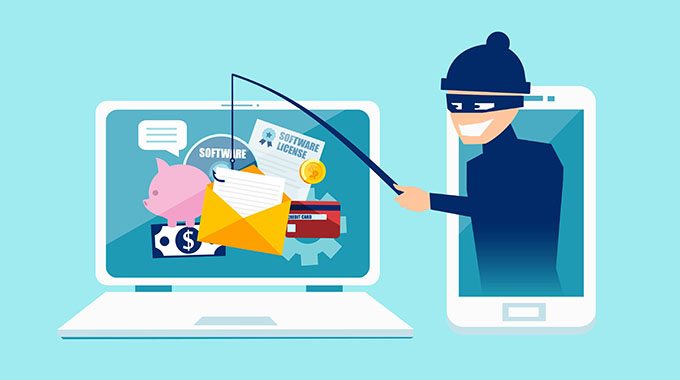
Have you ever come across a phishing email and wondered how to best protect yourself?
Check out this guide to learn how to protect yourself against phishing attacks.
Criminals are good at making email scams look like actual emails, so that it is easy to get tricked into opening, clicking, or sharing shady links.
Have you ever received an email from your bank urgently asking you to input your personal information to secure your account?
While this may be alarming, the email may not actually be from your bank. In fact, the email could be from a cybercriminal, using a tactic known as phishing.
But what is phishing?
Phishing is when a cybercriminal tries to trick you into giving them sensitive information by impersonating a legitimate source.
How can you avoid this?
Recognise the signs of phishing
One of the best ways to prevent phishing is to know how to spot phishing emails. While every message may look a little different, there are red flags to help you spot phishing.
Common warning signs of phishing include:
- Unfamiliar greeting or tone
- Grammar and spelling errors
- Sense of urgency
- Suspicious links or attachments
- Requests for personal information
- Inconsistencies in email addresses, links, etc.
- Unusual requests
- Alerts that you’ve won something
- If the email in question checks any of these boxes, it could be a phishing scam.
Do not respond to a phishing email
If you are ever suspicious about a message in your inbox, it is best to avoid sending a response. By responding, you are letting the scammer know that they are dealing with an active email address. This can prompt them to continue trying to scam you in the future.
Report suspicious messages to your email provider
After noticing a suspicious message in your inbox, it is best to report it as soon as possible. If the phishing message was sent to your work email, be sure to also inform your company’s IT department. This can help them stay on top of potential phishing threats and keep you and your co-workers’ inboxes safe.
Avoid sharing personal information
When using email, it is crucial that you avoid sending any sensitive data. This can help ensure prevent your private data from getting into the wrong hands to be used for fraudulent purposes.
It is also important to note that a legitimate financial institution would not ask for your personal information over email. If someone is, it is likely a phishing attempt.
Use strong passwords
Whether it is open your device or log in to an online account, a password is usually the last line of define between your personal information and a nosy cybercriminal. To ensure everything is as safe as possible, it is essential that you use strong passwords.
That way, if you accidentally fall victim to a phishing attack, you know that your accounts are equipped with strong passwords to help keep any hackers out of your private information.
Keep your operating system up to date
One great way to ensure your device is protected from phishing is to keep your operating system up to date. Most times, operating system updates include essential security patches to keep your device safe. This can help protect you from phishing-related threats such as malware.
Avoid jailbroken devices
Jailbreaking is the act of removing software restrictions on your device. This practice is commonly done on smartphones to unlock additional features or install third-party applications. While the idea of removing certain restrictions may seem enticing, it often leaves your device vulnerable to mobile security threats.
Keep an eye on your financial statements
Because most phishing attacks are used to gain control of your financial information, it is key that you keep an eye on your financial statements. If you ever notice any unfamiliar charges or suspicious activity, it could be a sign that your accounts have been compromised by a phishing attack.
Never click on unknown links or attachments
No matter where you are on the internet, avoiding suspicious links and attachments is a personal cybersecurity best practice. When it comes to phishing, an unknown link could secretly be malware and could put you and your device at risk. Because of this, never click a link or attachment you’re unsure about.
Be wary of fake unsubscribe messages
Another common phishing tactic is fake unsubscribe messages. In these scam emails, you may be convinced to click an “unsubscribe” button or add your email to an unsubscribe list to get rid of spam. But instead of actually removing you from the list, you may be taken to a malicious website or marked as an active email account.
Only respond to known senders
Whenever you receive an unsolicited message from an unknown sender, you should be extra cautious. If you respond to just anyone, you are increasing your chances of falling for a phishing attack and could accidentally give a hacker valuable information. To prevent email phishing, only respond to people you know and trust.
Stay informed
As technology advances, so do the methods scammers use when phishing. To stay prepared, always try to inform yourself about any known phishing scams that are circulating. Also, many workplaces offer anti-phishing and cybersecurity training that can help you stay safe.
Regularly back up your data
Routinely backing up your data is a good way to increase your peace of mind and help protect against the damage of phishing attacks. That way, if something goes wrong with your device, you will know that you will still have access to all your important files and data.
Block pop-ups
In some instances, scammers may use pop-ups in their phishing attacks. To avoid accidentally clicking on one, you can enable a pop-up blocker to provide extra protection from phishing attacks. Luckily, most-used browsers block pop-ups automatically, but it’s always best to double-check.
Use antivirus software
Lastly, a great way to protect yourself from phishing and other cybersecurity threats is to use antivirus software. If you accidentally click on a suspicious link, your antivirus software can step in before any viruses can infect your device and leave you and your personal information unprotected.-norton.com



 Online Reporter