admin
admin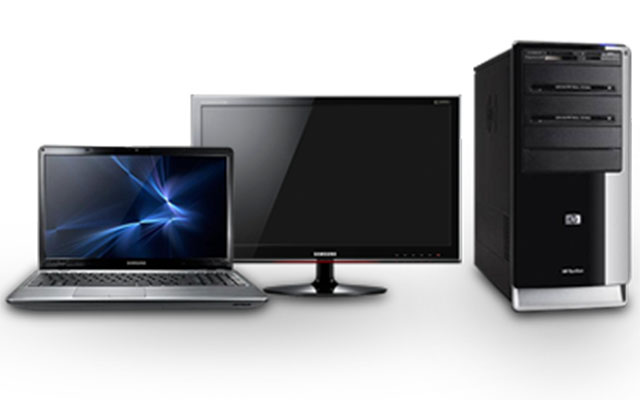
 Shepherd Chimururi Cool Lifestyle Correspondent
Students, parents, teachers and school authorities are in quandary when it comes to making a choice on what to buy between a desktop and laptops for educational purposes.
The laptop versus desktop choice is more than a product comparison — it is a question of knowing what exactly is the purpose of the machine. So take a moment and consider all the administrative, study, entertainment and social networking activities you want to use the computer for.
When deciding between purchasing a desktop computer or a laptop computer you will need to consider a handful of criteria and make a determination that fits your needs the best.
The two gadgets have their own pros and cons that you need to consider so that you make an informed purchasing decision. Security, durability, cost, maintenance, portability, size, repairing cost, power saving, are the crucial factors you have to consider.
There is a wide variety of component options available for desktops, allowing for a large range of prices, but the starting point is relatively cheap. Desktops can start as low as $250 for a full package — computer, keyboard, mouse and monitor.
Laptops can have a fairly wide variety of component options, but they are more limited than desktops. To get a more powerful laptop with higher speed, better graphics, more storage space, etc, the price can be considerably higher, ranging up to $700 or more, depending on the brand.
Desktops are large in size and have a separate monitor. While it is possible to take a desktop from place to place, it is cumbersome and not the choice for portability. They are designed to be used in a single location and not moved around much, if at all.
Security wise desktops need to be stored in a computer laboratory that is secure from the word go. Laptops are very portable due to their compact size. They were designed to be taken from place to place, carried in a backpack or laptop carrying case. They are great for on-the-go use. Field research demands a laptop.
Setting up a desktop takes a bit of extra work to hook everything up, start it up, and begin to use. It also requires more space to set up. While it’s not difficult to connect everything together, it is still more cumbersome than a laptop.
Laptops are built to be easy to use, requiring little time to get running. Take it out of the box, plug it in and press the power button. Within minutes, the laptop is ready to use. The issue of erratic availability of electricity favours laptops.
Desktops can make use of full size keyboards, including a number pad. There are really no limitations. Smaller laptops with the 14 and 15 inch screens typically have smaller keyboards and do not feature a number pad on the right side. Larger laptops with 17 inch screens do have larger keyboards and may include a number pad, but the laptops are bulkier and heavier.
Desktop monitors can be 15 inch or larger. It is even possible to hook up a desktop to a TV, so screen sizes could be as large as a TV. This provides for great flexibility on what the desktop is used for and in what environment. Since portability is a big feature of laptops, smaller screen sizes are necessary and screen sizes typically range from 10 to 17 inch. However, a laptop can still be connected to an external display and support any size of monitor, screen, or projector.
Most components in a desktop are easily removable, making it easier to upgrade and since desktop cases are usually much bigger they are easier to work in when doing any upgrading.
Memory and hard drive are about the only components that can be upgraded in a laptop. The remaining components are either built-in and not removable or the laptop is not designed to work with an upgraded version of a component. A need to upgrade anything other than the hard drive and memory usually requires a new laptop.
Repairing a desktop computer is much easier and cheaper since most of the hardware can be easily purchased off the shelf of any local computer retail store.
For most users opening a laptop to repair a part can be difficult and finding a replacement part often requires calling the computer manufacturer or ordering from another online site. For example if you spill a drink on the keyboard of a desktop you will only need to part with $10 for a new replacement. On the other hand spilling a drink on a laptop keyboard means the effects goes as far as affecting the mother board and this usually take time to replace it.
- Shepherd Chimururi executive director Dzidzo Inhaka Audio Visual Learning Mobile: +263 772 608 276, [email protected], www.dzidzoinhaka.co.zw



 Online Reporter