Chronicle Editor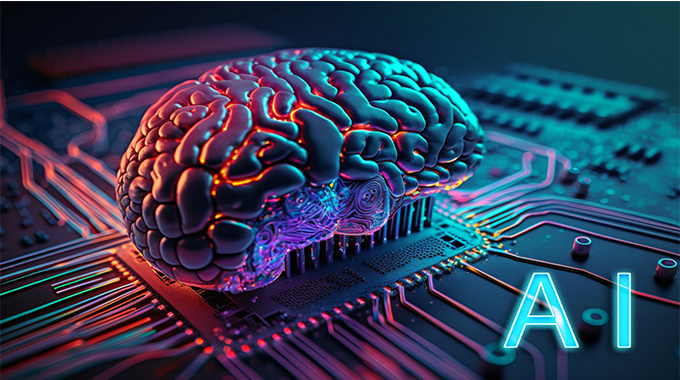
Creating a logo is one of the most exciting steps when building your brand. But it can also be challenging. How do you distill the core of your business into a single, impactful design? The good news is that you don’t have to be a design expert to create a professional and unique logo. With the help of cutting-edge AI tools, creating logos has become simpler than ever.
If you’re searching for the best free AI image generator to begin your branding journey, Dreamina is a great choice. It uses advanced AI technology to create logos tailored to your needs, offering various styles such as minimalistic, vibrant, or abstract.
But how do you choose the right logo generator for your business? Let’s explore the top six features you should look for to ensure you pick the perfect tool.
- Effortless design experience
A good logo generator should be user-friendly, even for beginners, so you don’t have to spend hours figuring out how it works. Look for a tool with a simple interface and clear instructions that guide you through each step, from entering a prompt to customizing the design. The best tools make logo creation effortless, allowing you to generate stunning designs in seconds by simply describing what you want.
- Infinite possibilities for personalization
Every brand has its own unique identity, and your logo should reflect that individuality. A great logo generator provides ample customization features to help you fine-tune your design. Look for tools that let you adjust colors, fonts, and layouts to match your vision perfectly. Advanced options like resizing and fine-tuning details can make a significant difference in creating a logo that stands out.
- Diverse styles to match your brand’s vibe
Your logo should reflect your brand’s unique personality, and the free AI logo generator can help you achieve that with ease. A great tool offers a wide range of design styles to suit your preferences, whether you’re looking for a sleek, modern logo or a more playful and colorful vibe. Make sure the generator allows for various styles like vintage, hand-drawn, flat, or abstract designs, giving you the freedom to explore different creative options.
- AI-powered creativity
The heart of any logo generator lies in its AI technology, which is where the magic happens. A good AI tool should be able to interpret your ideas and transform them into visually stunning designs. When selecting a logo generator, look for one that uses advanced algorithms to create high-quality, unique logos.
- Integration capabilities for consistency
Creating a logo or hiring an expert can be both expensive and time-intensive. A reliable logo generator saves you both time and money, offering quick results without the need for endless revisions. If you are looking for a complete branding solution, integrating a business card generator can help you design sleek, custom cards that perfectly match your logo, all in one easy process. This will help build consistency and alignment between your designs and your brand itself.
- Flexibility in exporting for any use
Once you’ve created your logo, you’ll need to use it across different platforms such as websites, social media, and packaging. A good logo generator should offer flexible export options, allowing you to download logos in various formats and resolutions. This ensures that your logo is ready to be used anywhere, from high-quality print materials to digital applications, without compromising its appearance.
Create beautiful, professional logos effortlessly with Dreamina
Dreamina makes logo creation simple and fun. As it’s designed to help you easily turn your creative thoughts into professional logos with just a few steps.
Here’s how easy it is to create a logo using Dreamina:
Step 1: Write your logo idea
Start by clicking the “Text/Image to Image” button and typing in a description of the logo you want. For example, you can enter something like “luxury logo for a high-end fashion brand with gold accents.”
Step 2: Adjust settings & generate your logo
Next, choose a model and adjust the settings for the logo. You can increase the quality for a better image, pick the size and aspect ratio, and then click on the “Generate” button to create your logo.
Step 3: Refine & download
Once your logo is generated, you can use Dreamina’s editing tools to refine it. Whether you want to adjust details with inpaint or retouch the image, you have all the customization options you need. Once you’re satisfied with your logo, just hover over it and click the ‘Download’ button to save it to your device.
Conclusion
Designing a logo is an essential step in building your brand identity. While it may seem challenging to capture your business essence in one simple design, AI-powered logo generators have made the process easier than ever.
They help turn your ideas into stunning designs, saving you both time and money compared to traditional methods. The best tools offer export flexibility, ensuring that your logo is ready to use across all platforms, from websites to social media.
With the right logo generator, you’ll have a professional design that fits your brand’s vision and sets you up for success all in a matter of minutes.



 Online Reporter