


 Sundaymail Editor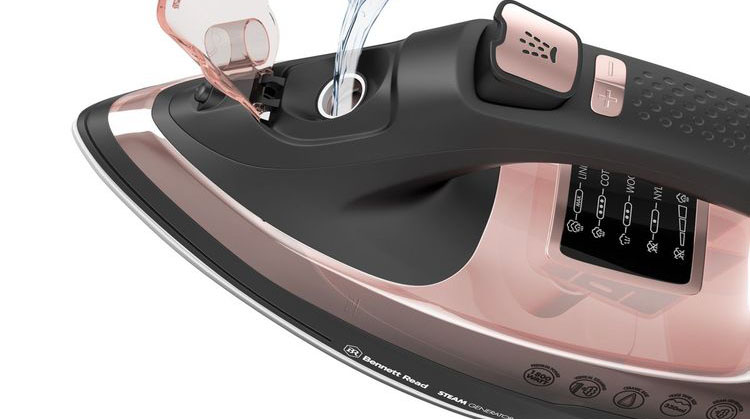
Because steam irons have a more complicated design and operation than standard irons, caring for them properly requires a little extra attention. Some steam iron models include a self-cleaning system, sometimes called an anti-calc system, that helps rid the iron of scale build-up.
If your iron has this function, run it every two weeks or as often as the manufacturer specifies.
To extend the life of your steam iron, clean it regularly and store it carefully.
Basic care
Turn the iron off when you finish using it. Unplug it, and wait for it to cool completely.
Hold the iron with the point tilting downward over a sink. Allow all the unused water to drain from the iron.
Apply liquid detergent to a damp cloth. Gently rub the iron’s metal plate clean. Rinse the plate with another damp cloth, and dry it with a dry cloth.
Store the iron sitting upright on its base, rather than lying on its metal plate. Wrap the cord around the iron to keep it out of the way.
Self-cleaning system
Unplug the iron and set the steam level to zero. Fill the water tank completely.
Adjust the temperature to its highest setting. Plug the iron into the wall and allow it to heat up. Unplug it again when its temperature indicator says that the iron is hot.
Hold the metal plate of the iron over a sink. Adjust the steam level to the self-clean setting and hold it in place. Shake and tilt the iron gently until it has discharged all the hot water and steam through the metal plate, then set the steam level back to zero.
Plug the iron in and heat it up until the metal plate dries. Unplug the iron and let it cool completely. Rub the metal plate with a dry cloth to ensure that it is fully clean.
How to repair a steam iron
Steam irons do not have many moving parts, so when something goes wrong it usually stems from poor maintenance and failure to use the proper setting.
Since you rely on a steam iron to remove the wrinkles from your clothes, it is frustrating when the iron stops working properly, especially when it begins to damage fabrics.
Performing some minor maintenance repairs on the steam iron allows it to return to normal operation. Using tap water and the correct temperature setting avoids damage in the future.
Check the temperature dial on your steam iron if water drips from the steam openings along the iron’s bottom. Increase the iron’s temperature to ensure it produces enough heat to create steam.
Attempting to use the iron before it reaches the desired temperature can also cause water to drip from the iron.
Pressing the steam button on the iron’s handle repeatedly can also cause water to drip from the iron.
Wait a few seconds between each press of the steam button to ensure each steam request produces steam. The time can vary based on the iron’s heat setting.
Empty the water from the steam iron’s water reservoir if the iron leaves brown streaks on your clothes.
Use the steam iron’s self-cleaning feature if your iron is equipped with this feature.
If your iron does not have a self-cleaning feature, allow the iron to cool before using a soft cloth to clean iron’s bottom. Focus on the steam opening when cleaning the bottom of the iron. Refill the reservoir with tap water.
Do not use bottled drinking water, filtered tap water or soften water as these waters can cause the brown streaks. —homeguides



 Online Reporter